New & Improved version with automatic screenshots, thumbnail grid layout, fully integrated with YOOtheme Pro!
Version 2.0.21
I'm proud to announce Version 2.0.21, production ready release of Mefi's Asset Bridge. It will help you manage templates and layouts in YOOtheme Pro more efficiently by letting you access them from any (Joomla!) website you own.
Key Features:
- Top Security: All of your assets are ENCRYPTED LOCALLY and not accessible to anyone but you, not even the server administrators!
- It's FREE! Basic plan is completely free.
- Centralized Asset Management: Your templates will be accessible from all of your websites.
- Integrated with YOOtheme Pro: It is seamlessly integrated with YOOtheme Pro.
Click here to view Mefi's Asset Bridge Video presentation in higher resolution!
In Depth Presentation of New Features
1. Maximum Security with Local Encryption
 Your assets (layouts, templates, images) are encrypted locally on your server before being uploaded to the Asset Bridge server. It is entirely done by your server, using the master key you've provided. Even if our server is hacked or someone hack your Joomla! website, they won`t be able to decypher the assets.
2. Clear, Grid Based Interface With Filtering & Searching
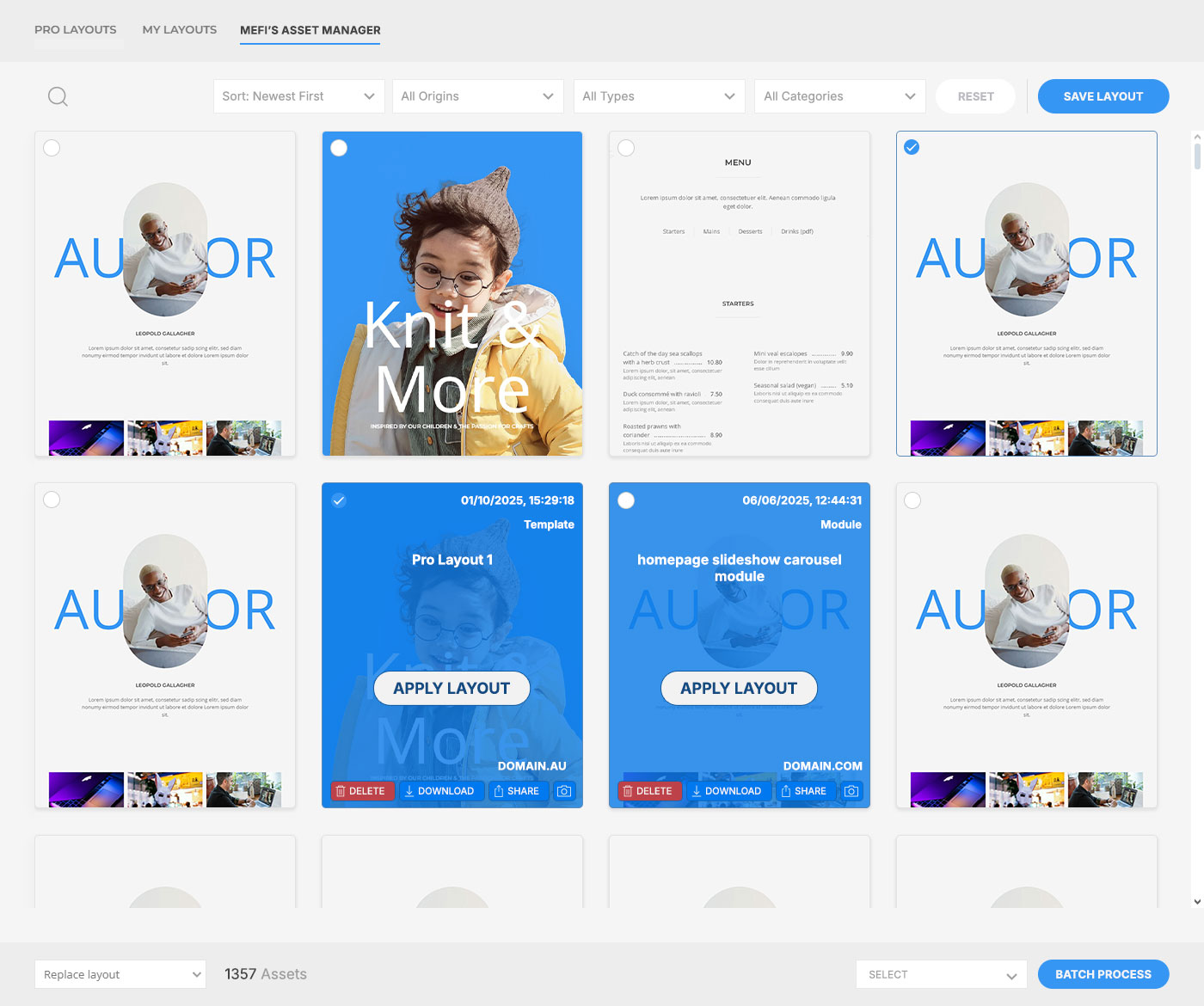 See all of your assets in grid layout and easily find what you need with powerful filtering and searching options. Not only that, but you can also rename them, download, replace image or categorize them directly in the grid.
4. Asset Categorization
I've come to realize that searching for date, origin website, type of asset, or asset name is not always enough, so I've created option to categorize assets as well. You can create unlimited amount of categories. Some of my categories are: "modules", "homepage", "areas page", "reviews layouts" and so on.
5. Automatic Screenshots
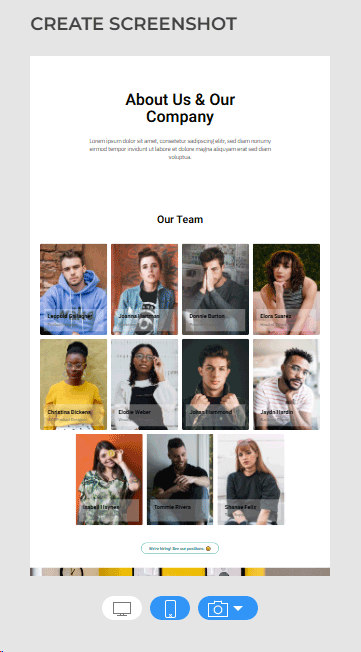 It is hard to figure out what an asset is just by reading the name, so I've implemented automatic screenshots to give you a visual preview of each asset. The system will automatically create screenshot using the method of your choice (in settings). You can trigger screenshotting manually as well.
6. Set Thumbnails Manually
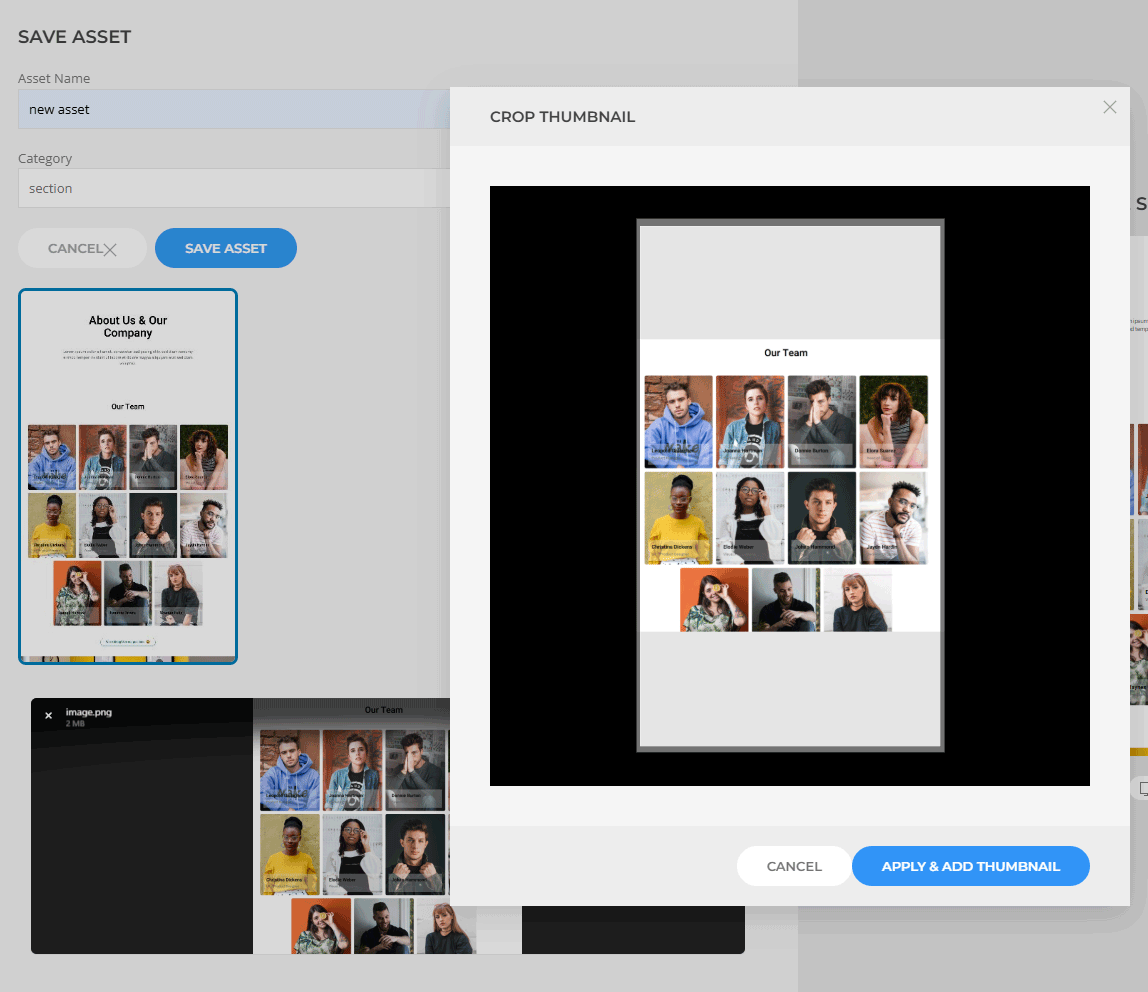 You also have the ability to set screenshot manually, by pasting or uploading an image of your choice, then cropping it to expected dimensions.
What's Next In Production?
I'm going to provide you a sneak peek of upcoming features and improvements in the next version of Mefi's Asset Bridge.
Copy/Paste Any Element In Builder
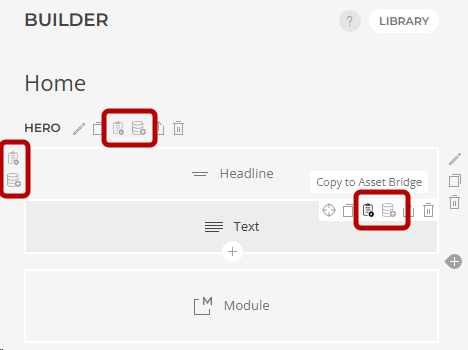 Sometimes all I need is to copy a single element, row, or section to another page or module. Until now, I had to save it as a layout, then import it. In the next update of Mefi's Asset Bridge, you will be able to simply click on any element and copy it into memory, then paste it wherever you want, as long as you are working on the same website.
Get Started Today!
Ready to take control of your YOOtheme Pro assets? Download Mefi's Asset Bridge now and experience the future of asset management!